

Download Driver Turbo – driver scanner, driver updater, driver backup, driver maintenance, driver repair
Overview
Driver Turbo is a utility application designed to streamline the often complex process of driver management on Windows systems. Its primary purpose is to scan for outdated, missing, or corrupt drivers across connected hardware components, offering users actionable recommendations to restore optimal device functionality. By identifying driver issues that may lead to system instability, performance degradation, or hardware malfunctions, Driver Turbo helps users maintain a stable and efficient computing environment. The app is particularly useful for individuals who rely on consistent device performance—such as remote workers, gamers, and general computer users—who may lack advanced technical expertise but still require reliable driver updates.
The developer, Driver Turbo, has positioned the tool as a comprehensive solution for routine driver maintenance, emphasizing safety and ease of use. While the developer’s background is not publicly detailed beyond the app name, the application’s long-standing presence since its release on April 11, 2013, suggests a degree of reliability and user trust. Real-world use cases include preparing a system for high-performance tasks, troubleshooting device recognition issues, and safeguarding against update-related failures through backup creation. In the broader software ecosystem, Driver Turbo fills a niche by offering a focused, accessible tool for a critical yet often overlooked aspect of system health—driver integrity.
Key Features & Functionality
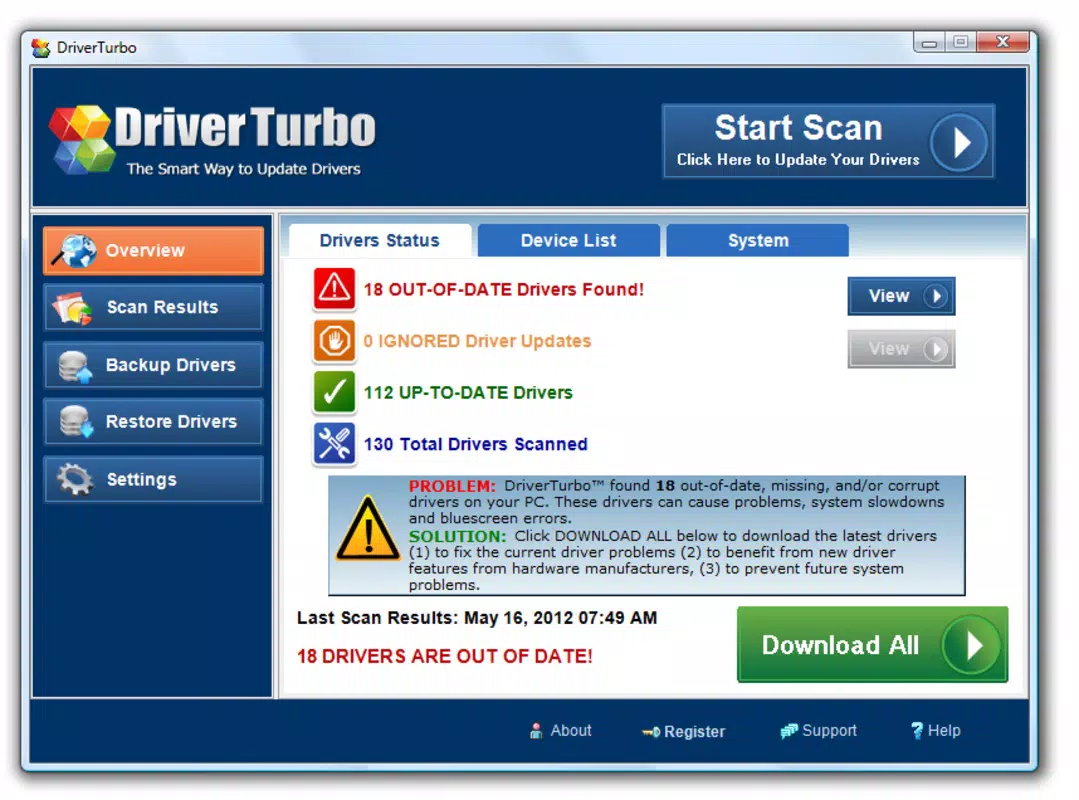
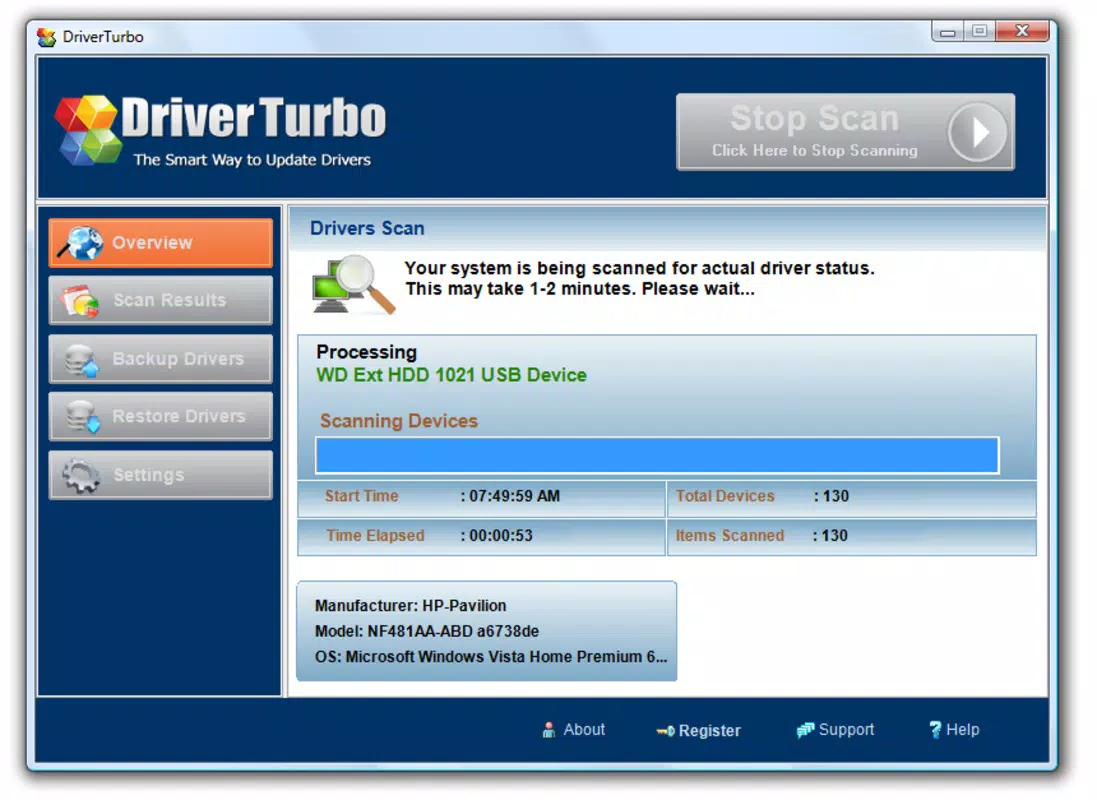
- Driver Scanning: The app performs a comprehensive system scan to detect outdated, missing, or corrupted drivers across all connected hardware. It identifies specific components and their driver versions, enabling precise recommendations for updates.
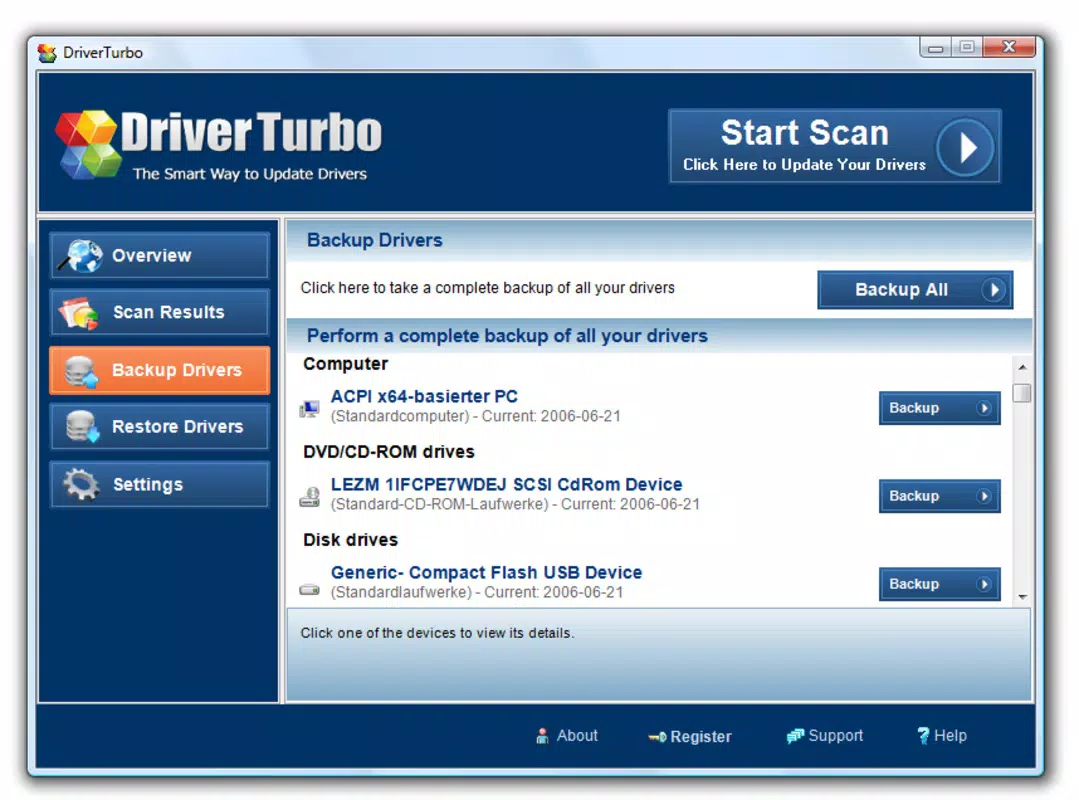
- Backup Functionality: Before any update is applied, users can create a backup of current drivers. This ensures that previous versions can be restored if an update causes instability or device incompatibility.
- User-Friendly Interface: Designed with accessibility in mind, the interface allows users of all skill levels to navigate the tool easily. Setup, scanning, and update processes are simplified to require minimal technical knowledge.
- System Compatibility: Driver Turbo is engineered to detect drivers across various hardware brands, models, and operating system configurations, ensuring broad applicability across different Windows environments.
- Fast Analysis: The scanning process is optimized for speed, allowing users to complete system checks in a short timeframe. This reduces downtime and enables timely maintenance without disrupting workflow.
For example, a user experiencing audio issues after a Windows update can use Driver Turbo to scan for outdated audio drivers and apply the correct update. Similarly, a system administrator might use the backup feature before deploying a driver update across multiple machines, ensuring rollback capability. These features collectively enhance system reliability and reduce the risk of hardware-related errors.
Interface, UX & Performance
Driver Turbo presents a clean, minimalistic interface that prioritizes clarity and ease of navigation. The layout is logically structured, with key actions—such as initiating a scan or restoring a backup—accessible through clearly labeled buttons and intuitive menus. The visual design avoids clutter, allowing users to focus on essential information without distraction. Navigation flows smoothly from scan initiation to result presentation, with progress indicators and status updates that keep users informed throughout the process.
Although the developer did not list formal performance metrics, the application’s design suggests responsiveness across a range of Windows devices, from older systems to modern machines. Users can expect consistent performance during scanning and backup operations, with no reported lag or crashes in the provided documentation. Stability is further supported by the app’s ability to function without requiring constant system resources, making it suitable for background maintenance tasks. The tool’s lightweight footprint—15.4 MB in size—contributes to its efficient operation, especially on systems with limited storage or processing power.
Platform Compatibility & Technical Requirements
Driver Turbo is designed exclusively for the Windows platform, supporting the operating system as specified in the release data. The app is compatible with Windows systems running the version listed: 1.0.2. However, the developer did not specify minimum OS requirements or detailed compatibility across different Windows editions (e.g., Windows 10, Windows 11, etc.). The file size of 15.4 MB indicates a lightweight application that does not impose significant storage demands.
While the exact device categories supported were not disclosed, the app’s focus on driver scanning and backup implies compatibility with standard desktops, laptops, and workstations running Windows. Users should verify system compatibility with their specific configuration before installation. The developer did not provide information on hardware requirements, installation prerequisites, or update frequency. As such, users are advised to consult official sources for the most accurate deployment details.
Pros and Cons
Pros
- Efficient driver scanning with accurate detection of outdated or corrupt drivers.
- Backup feature enhances safety during driver updates.
- Intuitive interface suitable for non-technical users.
- Fast analysis minimizes system downtime.
- Lightweight size (15.4 MB) ensures minimal impact on system resources.
Cons
- Compatibility with specific Windows versions was not disclosed.
- Developer did not provide detailed technical specifications or system requirements.
- No information on update frequency or automatic update capabilities.
- Platform availability is limited to Windows only.
- Limited public information about the developer’s background or support channels.
FAQ
Is Driver Turbo safe to use?
Yes, the application is designed to scan and update drivers without altering system settings beyond necessary changes. The backup feature adds an extra layer of security.
Can I use Driver Turbo on older Windows systems?
While the app is intended for Windows, the developer did not specify compatibility with older versions. Users should verify system requirements before installation.
Does Driver Turbo update drivers automatically?
The provided information does not confirm automatic updates. Users may need to manually apply recommended updates.
Is Driver Turbo free to download and use?
Yes, the app is available at no cost, with a price of $0.00 listed in the metadata.
How often should I scan my system with Driver Turbo?
Regular maintenance is recommended—users may consider scanning every few months or after major system updates.
Final Thoughts + CTA
Driver Turbo stands out as a dependable utility for users seeking a straightforward solution to driver-related issues. Its combination of fast scanning, backup safeguards, and an accessible interface makes it a valuable tool for both novice and experienced users. While some technical details remain unspecified, the app’s long-standing presence and focus on system stability reflect a commitment to reliability.
For individuals managing multiple devices or those who prioritize system performance, Driver Turbo offers a practical and secure way to maintain hardware integrity. Despite its limited platform availability, its lightweight design and free access enhance its appeal. Whether you're troubleshooting a malfunctioning peripheral or proactively maintaining system health, Driver Turbo delivers tangible benefits.
Download Driver Turbo now.


